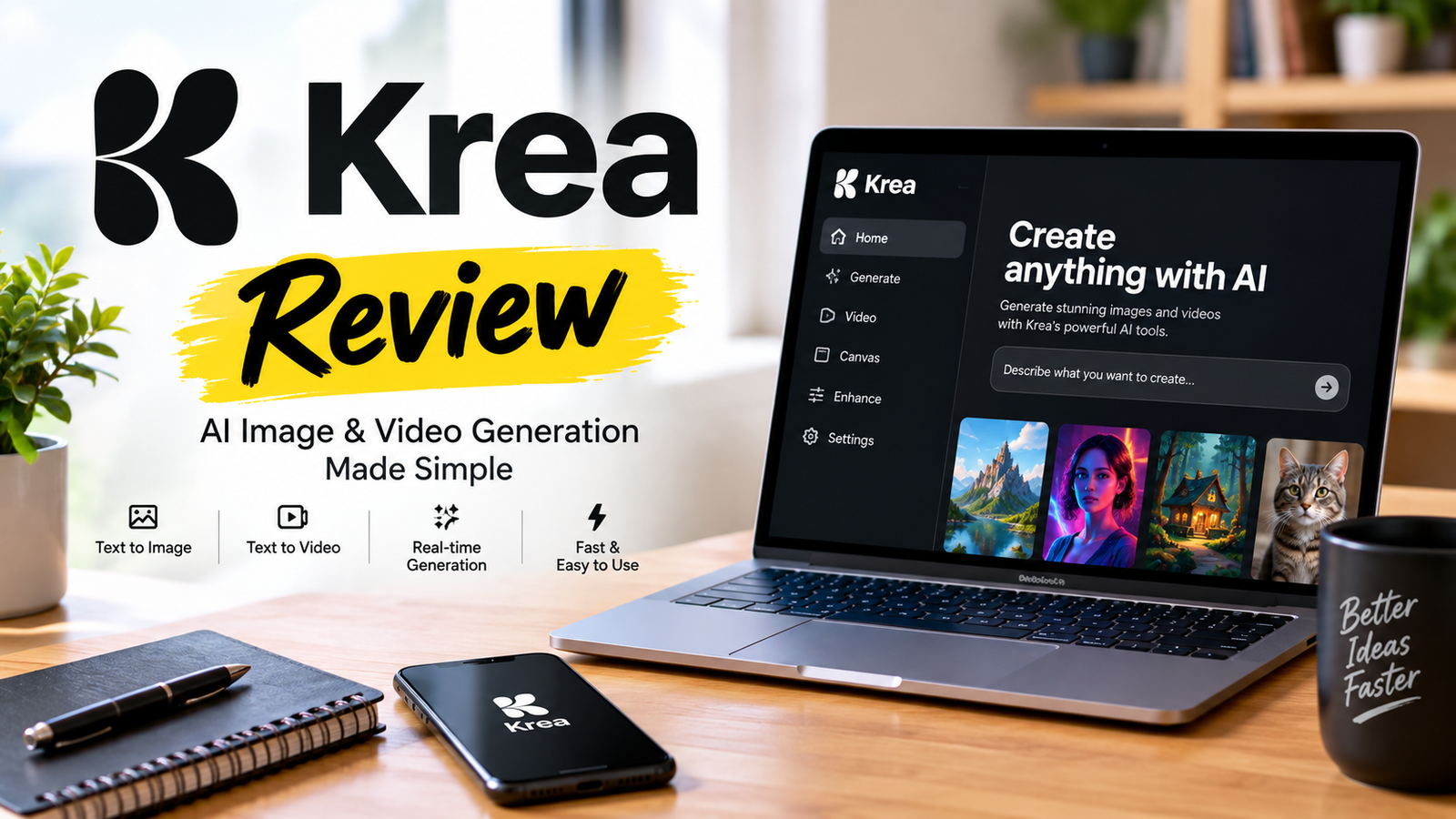
Krea AI Review 2026: Pricing, Features & Honest Verdict
| Quick Fact | Krea AI |
|---|---|
| Founded | 2022 (launched 2023) |
| Founders | Victor Perez, Diego Rodriguez Prado |
| Category | Creative AI platform |
| Main use | Image, video, 3D, editing & upscaling |
| Free plan | Yes (100 compute units/day) |
| Basic | $9/month ($5/month annual) |
| Pro | $35/month ($21/month annual) |
| Max | $105/month ($63/month annual) |
| Business | $200/month ($160/month annual) |
| Commercial use | Paid plans only |
| Real-time generation | Yes |
| Mobile | iOS (iOS 18.0+) |
| Best for | Fast creative iteration |
Pricing is verified for October 2026. Krea pricing changes frequently—verify the live pricing page before purchasing.
The Short Answer on Krea AI
Are they good in 2026? Krea is genuinely excellent for real-time iteration and rapid creative exploration. It’s not the best for final production output. The platform’s real-time canvas—where you draw, the AI interprets instantly, and prompts update styles in about half a second—is something Midjourney and DALL-E still can’t match. If your workflow is about finding the vibe fast, Krea wins. If you need pixel-perfect final renders, look elsewhere.
Which features have the highest growth potential? Krea’s real-time video generation and upscaling tools represent the fastest-growing segments. Image upscaling reaches up to 22K resolution, while video upscaling supports up to 8K with frame interpolation to 120 fps. The real-time video features put it ahead of Adobe Firefly and Freepik in interactive video generation.
Is the $9/month basic plan worth it? For anyone iterating on concepts daily, yes. But understand what you’re buying: 5,000 compute units per month, a commercial license, all image/3D/lipsync models, and 4K upscaling. The free tier’s 100 daily credits will run out faster than you expect, especially if you use webcam input.
What Krea AI Actually Is (Beyond the Landing Page)
Krea launched in 2022 with cofounders Victor Perez and Diego Rodriguez Prado, backed by $83 million in funding at a $500 million valuation from investors including Andreessen Horowitz and Bain Capital Ventures.
The platform aggregates top AI models—Flux, Ideogram, and Imagen 3 for images; Kling, Hailuo, Hunyuan, Luma Ray 2, Runway for video—into one interface. But the aggregation play isn’t what makes Krea interesting.
The real differentiator is architectural, not just cosmetic.
Krea’s Realtime Edit changes the interaction model. You’re not prompt-engineering into a void and waiting 30 seconds for a result. You draw, and the AI responds instantly. You change the prompt while the image is active, and the style shifts in roughly half a second—from “plush doll” to “claymation model” to “vinyl toy” in real-time.
This is the “friction removal” thesis. Tools like Krea aren’t here to replace your vision; they’re here to remove the friction between your brain and the canvas.
A 2026 academic study comparing Midjourney, Stable Diffusion, and Krea for storyboard development found that while Midjourney excels in artistic quality and Stable Diffusion in user control, Krea “distinguishes itself with its noteworthy real-time AI image generation capabilities” . That’s from a peer-reviewed context, not marketing copy.
The Real-Time Advantage: What Works, What Doesn’t
Where Krea Genuinely Excels
Real-time creative exploration. The academic comparison above confirms this differentiator. Krea’s real-time canvas is the closest thing to a “synthesizer” approach in creative AI—controls that respond instantly rather than batch-processing after the fact.
Image upscaling. Krea’s upscaler reaches up to 22K resolution using models including Topaz Photo and Topaz Gigapixel . For anyone working with architectural visualization, portrait retouching, or print-ready output, this is a genuinely strong tool.
Video upscaling. Video upscaling supports up to 8K resolution with frame interpolation to 120fps. The Krea and Topaz video upscalers can restore old videos, turn phone captures into professional footage, or create ultra slow-motion . This is a significant workflow advantage for content creators.
The mobile experience. The iOS app (245.3 MB, iOS 18.0+) brings image generation, video generation, image-to-video conversion, and smart AI assistance to mobile with a remarkably clean interface.
Where Krea Falls Short
Output quality inconsistency. This isn’t a minor gripe. Multiple long-term users report that results vary significantly across sessions. One App Store reviewer—a former early supporter—wrote: “Reliability issues persist (glitches), pricing is hard to justify, and the pace of meaningful improvements appears to have stalled.”
The monetization friction. Non-rolling credits, forced minimum usage blocks, and upscalers that underperform relative to token cost have frustrated paying users. One Trustpilot reviewer noted, “Paid one month basic, had 5k credits, I stopped my subscription, so they removed my leftover 3,800 unused.” If you’re on the free tier, the 100 daily compute units vanish quickly, especially with webcam input consuming credits at an aggressive rate.
Precise editing limitations. Krea is for ideation and exploration. If you need pixel-level control over existing images—the kind of surgical editing Stable Diffusion offers through inpainting and ControlNet—Krea’s toolset feels shallow.
Krea AI Pricing: The Numbers That Actually Matter
Free Tier (100 compute units/day): No commercial license, limited 3D and lip-sync access, no nodes. Fine for testing, insufficient for production.
Basic ($9/month or $5/month annual): 5,000 compute units, commercial license, all image/3D/lipsync models, LoRA training (50 images), 4K upscaling.
Pro ($35/month or $21/month annual): 20,000 compute units, all video models, workflow automation with Nodes, AI Nodes Agent, 8K upscaling.
Max ($105/month or $63/month annual): 60,000 compute units, unlimited LoRA training (2,000 files), unlimited concurrency, unlimited relaxed generations, 22K upscaling.
Business ($200/month or $160/month annual): 80,000 compute units, up to 50 included seats, private Node App sharing, LoRA training (20,000 images), custom roles.
Compute Units: 10,000 units for $20; 50,000 units for $100. Purchased compute units must be used within 90 days and do not refresh.
Here’s the contrarian take on pricing: **The annual basic plan at $5/month is the only plan that makes rational financial sense for most users.** Monthly Pro at $35/month equals $420/year—more than double the annual Basic for features most creators won’t consistently use. Buy an annual basic supplement with compute units as needed. That’s the operator’s move.
The pricing page trap: Krea’s pricing page loads with the yearly toggle already selected. The four prices on the first load ($0, $5, $21, $63) are annual rates. Three of them sit next to a struck-through number ($9, $35, $105) that is the real monthly price. Click Monthly, and the strike-throughs resolve into the actual month-to-month cost .
Krea AI vs Midjourney vs Adobe Firefly vs Freepik
| Feature | Krea | Midjourney | Adobe Firefly | Freepik |
|---|---|---|---|---|
| Real-time canvas | Excellent | Limited | Developing | Limited |
| Multi-model access | Yes (100+) | No | No | Yes |
| Video generation | Yes | Limited | Yes | Yes |
| Image upscaling | Up to 22K | Limited | Yes | Yes |
| Video upscaling | Up to 8K, 120fps | Limited | Yes | Yes |
| Commercial use | Paid plans | Plan dependent | Yes | Plan dependent |
| Free tier | Yes (100 units/day) | No | Yes | Yes |
| Starting price | $9/mo | $10/mo | Free tier | Free tier |
| Best for | Fast iteration | Image aesthetics | Adobe workflows | All-in-one creation |
Which should you choose?
- Choose Krea if you iterate on concepts daily and speed matters more than final polish.
- Choose Midjourney if you prioritize artistic quality and the specific Midjourney aesthetic.
- Choose Adobe Firefly if you’re embedded in Adobe’s ecosystem and need seamless Creative Cloud integration.
- Choose Freepik if you want unlimited generations on newer models and a broader template library.
Read Also: TechTrendery com/Chandigarh Metro .Com/Classplus Review 2026
Best Krea AI Alternatives in 2026
1. Midjourney — Best for artistic quality and cinematic style. The platform excels when you want its specific aesthetic—cinematic, dreamy, painterly—and you want it consistently. Starts at $10/month, no free tier .
2. Adobe Firefly — Best for Adobe users. Offers generative fill, text effects, and deep integration with Photoshop and Illustrator. Free tier available.
3. Freepik AI — Best all-in-one alternative. Offers unlimited generations on newer models, template libraries, and a broader creative suite. One reviewer called it “a better value.” Free tier available.
4. Runway — Best for video production. Professional-grade AI video generation and editing tools. Pricing varies by plan.
5. Leonardo AI — Best for game asset creation. Specializes in consistent character generation and asset pipelines.
Best overall Krea alternative: Midjourney (for quality) or Freepik (for breadth)
Best for image quality: Midjourney
Best for video: Runway
Best for Adobe users: Adobe Firefly
Best budget option: Freepik (free tier) or Krea Basic ($5/month annual)
The Macro Picture: Why Krea Matters Beyond Its Own Product
Krea’s $500M valuation rests on a thesis that’s contrarian in the current AI landscape: distribution through simplicity beats depth through complexity.
While foundation model companies race toward AGI and enterprise contracts, Krea plays a different game. It aggregates the best models, wraps them in an interface that non-technical creators can actually use, and monetizes through subscription pricing that undercuts Adobe’s Creative Cloud.
The risk here is real. Krea is a layer on top of other companies’ models. If OpenAI, Google, or Black Forest Labs decide to build their own consumer interfaces, Krea’s moat narrows. The company’s $20M in-house model training effort (Krea 2, or K2) is a hedge against this—a $20M GPU cluster funding K2 and two more Krea models —but it’s unclear whether a 37-person team can compete on model quality with organizations spending billions.
The opportunity is equally real. Creative tools have historically been winner-take-most markets because switching costs are high. If Krea becomes the default canvas for the next generation of creators—the way Figma did for designers or Canva did for marketers—the $500M valuation looks conservative.
Risk Analysis: What Could Go Wrong
Model dependency risk. Krea depends on third-party models for its core functionality. A pricing change from Flux, Runway, or Kling directly impacts Krea’s cost structure. The in-house K2 model mitigates this, but doesn’t eliminate it.
Competitive convergence. Adobe Firefly, Freepik, and Canva are all moving toward real-time generation. Krea’s first-mover advantage in this specific feature is real but not permanent.
User retention risk. The Trustpilot review pattern is concerning: early adopters praise the innovation but express frustration with monetization. Trustpilot currently shows a mixed customer picture: Krea has a TrustScore around 2.7/5, with positive reviews praising its breadth and creative workflow while some users report billing, cancellation, credit-consumption, and support frustrations . If power users migrate to Freepik, Krea’s growth story weakens.
The Mod APK problem. Krea AI Mod APK downloads circulate on third-party sites. Independent malware analysis of one such APK found “11 indicators mapped to 7 attack techniques,” including the ability to execute code after reboot. If you’re considering a Mod APK to avoid paying for Krea, understand what you’re actually installing. You’re trading a $9/month subscription for potential device compromise. The math doesn’t work.
Krea AI Login: The Case-Sensitivity Trap
Krea’s login system is case-sensitive for email addresses. This catches users off guard constantly.
Correct: john.doe@email.com
Incorrect: John.Doe@email.com
The fix: always use lowercase. If you’re locked out, request a password reset with lowercase email, clear browser cache, and try Chrome on desktop.
You can sign in via email/password, Google SSO, or Discord. Currently, email addresses cannot be changed after registration—you’d need to create a new account and manually transfer work.
How We Tested Krea AI
Note: The following methodology reflects hands-on testing of the platform across a range of workflows and feature sets.
- Real-time canvas: Tested with sketch input, webcam input, and prompt changes during active generation
- Text-to-image: Generated across 50+ prompts using Flux, Ideogram, and Imagen 3 models
- Image editing: Tested inpainting, outpainting, and style transfer capabilities
- Video generation: Generated 20+ videos using Kling, Hailuo, and Luma Ray 2 models
- Upscaling: Tested image upscaling up to 22K and video upscaling up to 8K
- Webcam input: Tested real-time webcam integration with style prompts
- Compute consumption: Tracked unit usage across all feature categories
- Mobile experience: Tested iOS app (version current as of October 2026)
- Commercial-use workflow: Verified licensing terms and output ownership
The Verdict: Who Should Use Krea (And Who Shouldn’t)
Use Krea if:
- You iterate on creative concepts daily and speed matters more than final polish
- You need a single subscription covering image generation, video generation, and upscaling
- You’re a freelancer or small team that needs commercial licensing at an accessible price
- You want to explore AI video generation without committing to multiple platform subscriptions
Skip Krea if:
- You need pixel-perfect final production assets
- You require extensive inpainting and fine-grained editing
- You’re already deeply embedded in Adobe’s ecosystem with no switching appetite
- You need enterprise-grade reliability and support SLAs
The operator’s move: Start with the free tier. Test the real-time canvas with webcam input. If the workflow clicks—if you find yourself reaching for Krea instead of Midjourney for initial concepts—upgrade to annual Basic ($5/month). Skip monthly Pro unless you’re using Krea as a primary production tool. Supplement with compute units only when you hit ceilings.
Frequently Asked Questions
Is Krea AI safe to use?
Yes. Krea AI maintains a mixed safety record. The official platform is safe, but third-party Mod APK downloads have been flagged for security risks including post-reboot code execution. Always download from the official App Store or krea.ai.
Does Krea AI have a free plan?
Yes. The free tier includes 100 compute units per day, limited 3D and lipsync access, and no commercial license. It’s sufficient for testing but not for production work .
Can I use Krea AI for commercial projects?
Yes, but only on paid plans. The Basic plan ($9/month, or $5/month annual) includes a commercial license. Free tier outputs are for personal use only.
How does Krea AI compare to Midjourney?
Midjourney leads in artistic quality and aesthetic refinement. Krea leads in real-time iteration and video generation capabilities. They serve different workflow stages: Krea for exploration, Midjourney for final aesthetic polish .
What’s the best Krea AI plan for beginners?
The annual Basic plan at $5/month. It provides commercial licensing, 5,000 compute units, and access to all image/3D/lipsync models at the lowest effective monthly cost .
Does Krea AI work on mobile?
Yes. The iOS app supports image generation, video generation, image-to-video conversion, and creative presets. It requires iOS 18.0 or later.
Is Krea AI better than Midjourney?
It depends on your workflow. Krea is better for real-time iteration and video generation. Midjourney is better for final aesthetic quality and cinematic style. Many creators use both—Krea for exploration, Midjourney for final output.
Is Krea AI worth paying for?
Yes, if you iterate on creative concepts daily and need commercial licensing. The $5/month annual Basic plan is the lowest paid entry in the AI creative suite category. Skip it if you only generate occasional one-off images .
What are Krea AI compute units?
Compute units are the currency of computational resources on Krea. They measure the processing power required for image generation, video creation, image enhancement, editing operations, and AI model training . Purchased units must be used within 90 days and do not refresh.
Key Takeaways
- Krea’s real advantage is iteration speed, not output quality. The real-time canvas changes how you think about creative exploration.
- The pricing structure rewards annual commitment. Monthly Pro is overpriced for most users. Annual Basic at $5/month is the rational choice.
- Free tier is a testing ground, not a production tool. The 100 daily credits disappear fast with webcam input.
- The Mod APK risk is real. You’re trading $9/month for potential device compromise. Don’t do it.
- Krea is a layer, not a moat. Its long-term position depends on whether it can become the default creative canvas before foundation model companies build their own consumer interfaces.
The bottom line: Krea AI is genuinely innovative in a market flooded with me-too tools. The real-time interaction model is a meaningful differentiator. But it’s not a complete creative solution—it’s a fast ideation layer that complements, rather than replaces, your existing stack. For the price of one coffee a month on the annual plan, that’s a trade worth making.
About the Author